

To charge an electric spin scrubber, remove the telescopic pole, open the waterproof cover at the base of the handle to reveal the USB-C port, make sure that port is completely dry, then connect the cable to a 5V adapter. A full charge takes roughly 3–4 hours and delivers 90–110 minutes of runtime.
The adapter is the part almost everyone gets wrong. Manufacturers explicitly cap the input at 5V, which means the fast-charging brick you use for your phone or laptop is the wrong choice — not the right one. That single detail does more damage to spin scrubber batteries than any other charging habit.
- Use a 5V adapter, nothing higher. Manufacturer quick-start guidance states plainly: to maximise battery life, use an adapter with a voltage no greater than 5V. A 20V laptop brick can damage the charging board.
- Find the port: Remove the telescopic rod first, then unscrew or flip the tail cover at the bottom of the handle. On HOTO models it is marked with a small logo. A minority of brands put the port near the brush-head end instead.
- Charge time: About 3 hours on a HOTO for up to 110 minutes of runtime. Most other models land at 3–4 hours for 90 minutes.
- Dry the port first, every time. HOTO's manual is explicit — if water is found in the charging port, wipe it dry before charging.
- Reading the light: On many models the button flashes red while charging and shows no light at all when full. Red steady during use means the battery has dropped below 20%.
- It won't run while plugged in. That is a designed lockout, not a fault. Unplug it completely before testing.
- Best temperature: Lithium cells perform best around 20°C ±5°C. Charging a scrubber that is still warm from use, or cold from a garage, measurably shortens cell life.
- Don't leave it plugged in for weeks. Manufacturer safety guidance says not to leave the appliance connected to an outlet when not in use.
- HOTO Cordless Spin Scrubber: approximately 3 hours to a full charge, delivering up to 110 minutes of runtime depending on intensity of use (HOTO Costco support documentation).
- Voltage cap: "To safely maximize the device's battery life, use an adapter with a voltage no greater than 5V when charging" — electric spin scrubber quick start guide.
- Waterproofing limits: HOTO's main body reaches IPX7, but the manual states the telescopic rod and brush head are not waterproof, and the USB-C waterproof plug must be tightened during use.
- Low battery threshold: A red LED stays on when the battery drops below 20% during operation (HOTO instruction manual).
- Optimal charging temperature: The battery performs best at 20°C ±5°C, and after long-term storage HOTO recommends several full charge and discharge cycles to restore performance.
- Typical capacities: 2,500mAh with a 4-hour charge for 90 minutes of use (YKYI RJ152); 3,000mAh models advertise similar runtime.
How do you charge an electric spin scrubber step by step?
Charge it in five steps: power it off, remove the pole to expose the port, dry the port, connect a 5V adapter, then leave it for the full 3–4 hours. The order matters, because charging into a wet port causes more dead scrubbers than any other mistake.
-
Power the unit off completely
Hold the power button until every indicator light goes dark. Many models cycle through speed settings before switching off, so a single press often leaves the motor armed. Charging a unit that is still switched on gives you slower, hotter charging and a false reading on the indicator.
-
Remove the telescopic rod to reach the port
This is the step that stumps most new owners, and it is why "I can't find where to plug it in" is one of the most common questions on retailer Q&A pages. The charging port hides under a tail cover at the bottom of the handheld body, and the extension pole covers it. Detach the pole, then unscrew or flip open the cover — on HOTO models it carries a small marking.
-
Inspect and dry the port before the cable goes near it
Look inside with a torch. Any droplet, condensation or scale means stop. Wipe it with a dry cotton swab and leave it open for at least 30 minutes, longer if it got properly wet. Never insert anything metal — a bent USB-C pin ends the tool and no warranty covers it.
-
Connect the cable to a 5V adapter
Use the adapter that came in the box where possible. If you have lost it, a basic 5V/1A or 5V/2A phone-style block is correct. What you want to avoid is a modern fast-charge brick or a laptop charger, for reasons covered in the warning below. Charging from a computer USB port also works and is inherently 5V.
-
Leave it for the full cycle and read the light
Expect around 3 hours on a HOTO, 3–4 hours on most other models. On many units the power button flashes red while charging and shows no light once complete — which confuses people, because no light looks like no power. Unplug it once done rather than leaving it connected indefinitely.
Almost every guide tells you to "use the original charger." Fine advice, but useless once you have lost it — and it never explains why. Here is the reason. Spin scrubber quick-start documentation caps the input at 5V explicitly, because these are simple, inexpensive charging boards without the negotiation circuitry that phones and laptops carry.
Modern fast chargers are designed to step up to 9V, 12V, 15V or 20V when a device requests it. A well-built scrubber will simply never make that request and will charge safely at 5V. A budget one, with a poorly implemented board, may not handle the handshake properly. Since you usually cannot tell which category your scrubber falls into by looking at it, the safe move is to feed it a plain 5V source and take the guesswork away entirely.
The practical version: that 65W GaN brick you love is the wrong tool. Dig out an old 5V phone block, or plug into a computer's USB port. Slower is genuinely better here.
Where is the charging port on an electric spin scrubber?
On most models the charging port sits at the base of the handheld body, hidden under a screw-on or flip-open waterproof cover — and you must remove the telescopic extension pole to reach it.
Port location genuinely varies between brands, which is why so many owners assume theirs is missing. This table covers the layouts you will actually encounter.
| Port location | How to access it | Port type | Common confusion |
|---|---|---|---|
| Base of handle, under tail cover | Detach the extension pole, then unscrew or flip the cover | USB-C (Type-C) | Most common layout; people miss it because the pole hides it |
| Side of handle, under a rubber flap | Peel back the sealing flap with a fingernail | USB-C or micro-USB | Flap looks decorative and gets overlooked entirely |
| Near the brush-head end | Look just above where the head attaches | Usually USB-C | Minority layout; owners search the handle and give up |
| Removable battery pack | Slide the pack off and charge it in a separate dock | Proprietary dock contacts | The tool itself has no port at all, which looks like a defect |
| Barrel plug (older models) | Round socket, fixed AC adapter only | DC barrel jack | No USB substitute exists; losing the adapter is serious |
One important caveat on waterproofing. HOTO's manual states that while the main body reaches IPX7 and the USB-C port has waterproof protection, the plug must be tightened during use, and the telescopic rod and brush head contain no electronics and are not waterproof. An IP rating protects a sealed enclosure — an open charging cover is simply an open hole.
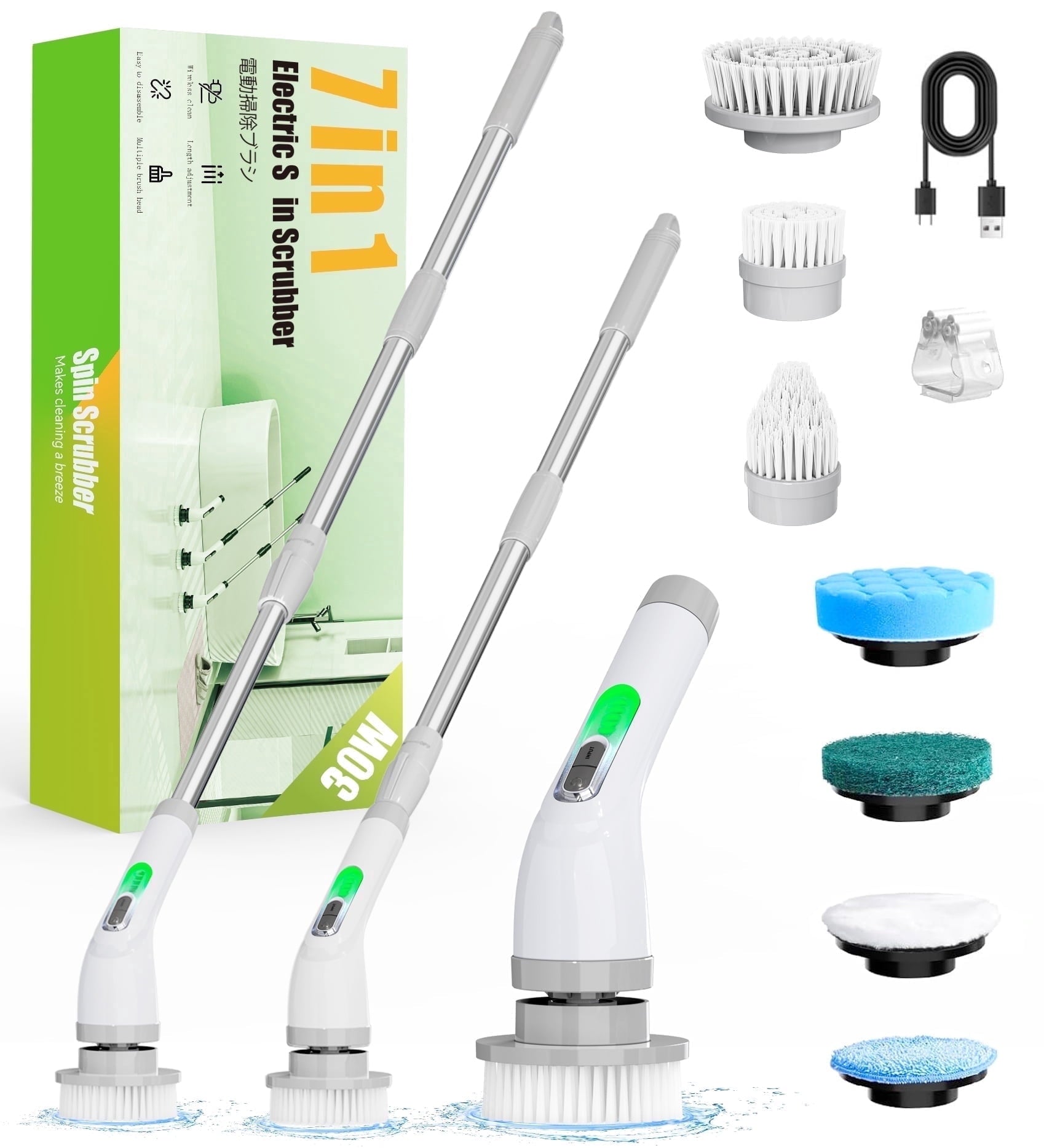
Electric Spin Scrubber — Cordless Power Cleaning Brush
A rechargeable battery sized to finish a full bathroom in one session, with interchangeable heads for tile, grout, corners and fixtures.
How long does an electric spin scrubber take to charge?
Most electric spin scrubbers take 3 to 4 hours for a full charge and deliver 90 to 110 minutes of runtime. HOTO's cordless model charges in about 3 hours for up to 110 minutes of use.
Runtime figures are measured with no load, though, and that gap matters. Pressing a brush against tile draws several times the current of spinning in open air, so real-world runtime typically lands 15–20% below the advertised number.
| Model | Battery | Charge time | Claimed runtime | Realistic working time |
|---|---|---|---|---|
| HOTO Cordless Spin Scrubber | Not published | ~3 hours | Up to 110 min | ~88–93 min under load |
| YKYI RJ152 | 2,500mAh | ~4 hours | Up to 90 min | ~72–77 min under load |
| Dovety Electric Spin Scrubber | Not published | 3–4 hours | ~90 min | ~72–77 min under load |
| KLW-012C style units | 3,000mAh | 3–4 hours | ~90 min | ~72–77 min under load |
| Budget units under $25 | Often under 2,000mAh | 2–3 hours | "Up to 60 min" | Frequently under 35 min |
For context on what that buys you: a full bathroom including shower, tub, sink and floor grout takes 20–35 minutes of actual scrubbing. So any model delivering 70+ real minutes handles a bathroom and a kitchen on one charge. Our comparison of the Best Electric Spin Scrubber models for 2026 covers how five tested units perform on runtime and torque together.
What are the key features that make charging easy or frustrating?
Four design details decide whether charging is painless: port type, cover design, indicator clarity, and whether the pole must come off first.
| Feature | What you want | What causes problems | Why it matters |
|---|---|---|---|
| Port type | USB-C | Proprietary barrel plug | Lose a barrel adapter and the tool is effectively dead |
| Cover design | Captive screw cover or hinged flap | Small loose plug you can misplace | A lost cover means an open hole in a wet environment |
| Indicator | LED bar or percentage display | Single light that goes dark when full | "No light" reads as "no power" and causes false fault reports |
| Port access | Reachable with the pole attached | Pole must be removed every time | Adds friction; people skip charging until the tool dies |
| Battery type | Lithium-ion | Older Ni-MH packs | Different chemistry, different rules — see below |
Does it matter if your scrubber uses an older Ni-MH battery?
Yes, and it reverses some of the standard advice. Older and budget spin scrubbers sometimes use nickel-metal hydride packs rather than lithium-ion, and Ni-MH benefits from occasional deeper discharges, whereas lithium prefers shallow, frequent top-ups.
Check your manual or the battery compartment. If the pack is removable and labelled Ni-MH, run it down further before recharging occasionally. If it is a sealed lithium unit — which covers almost every model sold today — top it up whenever convenient and avoid leaving it flat for weeks.
HOTO's own documentation specifies that the battery performs best at around 20°C, plus or minus 5. That has a practical consequence most owners never consider: a scrubber that has just finished twenty minutes of hard work is warm, and plugging it straight in charges a hot cell. Give it fifteen minutes to cool first. The same applies in reverse if you store the tool in a cold garage — let it reach room temperature before charging. Neither habit costs you anything, and together they add months to the pack's life.
What charging problems do owners run into, and how do you fix them?
The five most common charging complaints are a port that won't charge, an indicator that never changes, a scrubber that won't run while plugged in, a battery that drains overnight, and a lost adapter. All five have straightforward fixes.
| Problem | Actual cause | The fix | What not to do |
|---|---|---|---|
| Charging light never comes on | Moisture in the port, or a failed cable | Dry the port 30+ min, then change one variable at a time — cable first, then outlet | Don't insert anything metal to dry it |
| Light goes off after 10 minutes | Often normal — many models show no light when full | Check the manual; if it really is finishing early, the cell is worn | Don't assume it's broken before testing runtime |
| Won't turn on while charging | Designed lockout on most models | Unplug completely, then press power | Don't keep pressing while plugged in |
| Battery drains while stored | Normal self-discharge plus a possibly worn cell | Top it up monthly during storage; fully charge before use after idle periods | Don't store it completely flat for months |
| Lost the original adapter | Common with USB-C models | Use any basic 5V phone block or a computer USB port | Don't grab a laptop brick or high-wattage fast charger |
| Charges fully, dies in 10 minutes | Cell at end of life, typically after 2–3 years | Replace the battery where the model allows it ($15–$30) | Don't buy new brush heads hoping to fix a battery fault |
If your scrubber shows none of these patterns and simply refuses to respond at all, the fault may be mechanical rather than electrical — our guide on why an electric spin scrubber stops working matches symptoms to causes across jams, overload trips and charging faults.
Electric Spin Scrubber — Cordless Power Cleaning Brush
If a full charge now lasts ten minutes, the cell has reached end of life. This one arrives ready for tile, grout, sinks and tubs.
Should you charge after every clean or only when the battery is low?
Top it up after every clean if your scrubber uses lithium-ion, which almost all modern models do. Lithium cells prefer frequent shallow charges over occasional deep ones, and a partly charged tool is always ready to use.
The one thing to avoid on both counts is leaving it connected to the mains permanently. Safety documentation for the Turbo Spin Scrubber states plainly that the appliance should not be left connected to an outlet when not in use.
Charging after every use
- Tool is always ready — no waiting 3 hours
- Shallow cycles suit lithium chemistry
- Prevents the cell sitting flat for weeks
- You notice a fading battery early
Charging only when low
- Fewer total charge cycles logged
- Suits Ni-MH packs on older units
- But: you'll hit empty mid-clean eventually
- But: lithium degrades faster when run to zero repeatedly
Best for: Charge-after-every-use suits anyone cleaning weekly with a modern lithium USB-C model — the majority of owners. Charge-when-low suits older Ni-MH units and people who use the tool a few times a year, provided they still top it up monthly during storage rather than leaving it flat.
Whichever you choose, dry the tool before charging. Water on the body finds its way to an open port cover, and technique matters here too — our guide on how to use an electric spin scrubber covers the rinse-and-dry routine that keeps the charging area safe.
How do you make the battery last longer over the years?
Six habits extend a spin scrubber battery meaningfully: charge at room temperature, use 5V, top up rather than draining, unplug when full, store it charged, and reduce the load on the motor.
- Let it cool before charging. Fifteen minutes after a heavy session is enough to bring the cell back toward the 20°C sweet spot.
- Keep to 5V. Repeated from the warning above because it is the single highest-impact rule.
- Unplug once the indicator says full. Trickling a full pack for days adds nothing and generates heat.
- Store it around half to fully charged, never flat. HOTO recommends fully charging before use after any idle period, and running several charge cycles after long-term storage to restore performance.
- Press less while cleaning. Pressing hard multiplies current draw, drains the pack faster and trips overload protection. Guide the tool instead.
- Fit fresh brush heads. Worn bristles make you press harder without noticing, which quietly doubles the load on the battery. Our guide on how to replace an electric spin scrubber brush covers the wear test.
Frequently asked questions about charging electric spin scrubbers
Where do you plug in an electric spin scrubber to charge it?
On most models the charging port sits at the base of the handheld body under a waterproof tail cover, and you need to detach the telescopic extension pole before you can reach it. Unscrew or flip the cover to reveal a USB-C port. A minority of brands place the port on the side of the handle under a rubber flap, or near the brush-head end instead. If you genuinely cannot find one, check whether your model uses a removable battery pack that charges in a separate dock.
How long should you charge an electric spin scrubber the first time?
Give it a complete cycle of 3 to 4 hours before first use. Lithium cells ship partially charged, so a short top-up will light the indicator and spin the brush in open air while still stalling under load against tile. HOTO's cordless model reaches full charge in about 3 hours for up to 110 minutes of runtime. Judging battery health on anything less than a full first charge produces a false result.
Can you use a phone charger on an electric spin scrubber?
Yes, provided it is a basic 5V block rather than a modern fast charger. Manufacturer quick-start guidance specifies using an adapter with a voltage no greater than 5V to protect battery life. Older phone bricks marked 5V/1A or 5V/2A are ideal, and a computer USB port works too. Avoid high-wattage fast-charging bricks and laptop chargers, which can supply far higher voltages than these simple charging boards are designed to handle.
Why won't my electric spin scrubber turn on while it's charging?
Most models are designed not to operate while connected to power, so this is a safety feature rather than a fault. Unplug the cable completely, then press the power button. If it still does not respond, the charge may not have completed — check the indicator pattern, since many units flash red while charging and show no light at all once full. That "no light" state confuses people into thinking the tool is dead.
Is it safe to charge a spin scrubber straight after cleaning?
Only once the charging port is completely dry and the body has cooled. HOTO's manual states that if water is found in the charging port it must be wiped dry before charging, and safety documentation warns against charging in wet or damp conditions. Wait at least 30 minutes after a wet clean, longer if the port got splashed directly. Letting the unit cool to room temperature first also protects the cell, since lithium batteries perform best around 20°C.
How do you know when an electric spin scrubber is fully charged?
It varies by brand, which is why this causes so much confusion. On many models the power button flashes red during charging and shows no light whatsoever once complete. Others switch from red to green, and better units display an LED bar or a battery percentage. During use, a steady red light generally means the battery has dropped below 20%. Check your manual once and note the pattern, because guessing leads people to unplug a half-charged tool.
Can you overcharge an electric spin scrubber by leaving it plugged in?
Modern lithium models include protection circuitry that stops charging when full, so a single overnight session will not damage the pack. Leaving it connected for days or weeks is still a bad idea — safety guidance for these tools explicitly says not to leave the appliance connected to an outlet when not in use, and continuous trickle charging generates heat that ages the cell. Unplug it once the indicator shows a full charge, and top it up monthly during long storage periods.
What's the bottom line on charging?
Feed it 5V, dry the port first, and give it the full 3–4 hours. Those three rules prevent nearly every charging problem owners report.
The port hides under a tail cover once you remove the extension pole, the indicator often goes dark rather than green when full, and the tool refusing to run while plugged in is a designed lockout rather than a fault. Knowing those three quirks saves a lot of unnecessary worry.
Then treat the battery kindly: let it cool before charging, top it up rather than running it flat, unplug it when it's done, and never store it empty. Do that and a mid-range spin scrubber battery comfortably lasts two to three years.
Electric Spin Scrubber — Cordless Power Cleaning Brush
Standard USB-C charging, a sealed port cover, and enough runtime to finish a bathroom and a kitchen on a single charge.
- Best Electric Spin Scrubber 2026: I Cleaned My Entire Bathroom in 8 Minutes — five models tested on runtime, torque and grout performance.
- Why Is My Electric Spin Scrubber Not Working? — matching symptoms to causes for charging faults, jams and overload trips.
- How to Use an Electric Spin Scrubber: Full Guide — pressure and technique that reduce battery drain.
- How to Replace an Electric Spin Scrubber Brush in Under 60 Seconds — the bristle wear test and connector types.
- How to Remove a Brush from an Electric Spin Scrubber — the grip technique that frees stuck heads.
- Where to Buy an Electric Spin Scrubber in 2026 — comparing retailers on returns, warranty and parts availability.


