

Your electric spin scrubber has almost certainly not broken. In the vast majority of cases the cause is one of four things: a battery that never reached a full charge, overload protection cutting the motor because you pressed too hard, water sitting in the charging port, or hair wrapped around the brush shaft. All four are fixable at home in under ten minutes.
The symptom tells you which one you have. A completely dark indicator light points to power. A motor that hums without spinning points to a jam. A tool that dies mid-clean and restarts a minute later is overload protection doing exactly what it was designed to do.
- Won't turn on at all: Charge for the full 3–5 hours with the original adapter. A 15-minute top-up will not spin the brush under load. Most units also refuse to run while plugged in — that is a safety feature, not a fault.
- Stops mid-clean, restarts later: Overload protection tripped. Lift the tool, release all pressure, wait 30 seconds, press power once. You are pressing too hard — the spinning brush does the work, not your arm.
- Hums but won't spin: Hair or fibre wrapped around the drive shaft. Remove the head and cut it away with scissors. Never run the motor to "clear" a jam.
- Won't charge: Water in the port. Dry it fully for 30+ minutes before plugging anything in. Charging a wet port is what turns a minor issue into a dead unit.
- Runs for 10 minutes then dies: Worn battery. A cell that once gave 60 minutes and now gives under 15 has reached end of life, typically after 2–3 years.
- The misunderstanding that kills scrubbers: IPX7 does not mean shower-spray-proof. Under IEC 60529, immersion ratings and jet ratings are separate tests, and IPX7 does not include IPX5 or IPX6 protection unless the product is dual-coded.
- When to stop repairing: Battery or charger faults are worth fixing at $15–$30. Water-damaged electronics or a cracked body are not.
- IPX7 = immersion at 1 metre for 30 minutes under IEC 60529. Critically, the standard states that immersion ratings do not automatically confer jet protection (IPX5/IPX6) — the two are separate test types requiring dual coding (Castle Compliance, IEC 60529 testing).
- IPX5 is tested with a 6.3mm nozzle at 12.5 litres per minute — roughly a garden-hose spray. That, not immersion, is what a shower head does to your scrubber.
- Manufacturer manuals specify a flashing green light as overload protection triggering, and a flashing red light as low battery. Most units also cannot operate while charging by design (VEVOR spin scrubber user manual).
- A typical mid-range unit carries a 2,500mAh cell rated for about 90 minutes of runtime with a 4-hour full charge (YKYI RJ152 specification, via Manuals+).
- Brush heads should be replaced every 4–6 months, and pads every 3 months, under normal weekly use (HOTO Tools). A worn head slipping on the shaft mimics a motor fault.
Why is my electric spin scrubber not working?
Your spin scrubber stopped working because of a battery fault, an overload trip, a mechanical jam, or water in the charging port — and the indicator light plus the motor sound tells you which one within seconds.
Here is the shortcut almost every troubleshooting guide buries: you do not need to work through a list of eight fixes. You need to match one symptom to one cause. Start with the table below and go straight to the relevant section.
| What you're seeing | Most likely cause | First thing to try | Time to fix |
|---|---|---|---|
| No light, no sound at all | Flat battery or a charging path that never worked | Full 4-hour charge with the original adapter, then retest | 4 hours |
| Motor hums, brush doesn't turn | Hair or fibre wrapped around the drive shaft | Power off, remove the head, cut the wrap away | 5 minutes |
| Stops mid-clean, works again later | Overload protection tripping under pressure | Release all pressure, wait 30 seconds, press power once | 1 minute |
| Charging light never comes on | Moisture in the port or a failed cable | Dry the port 30+ minutes, then try a different USB-C cable | 30 minutes |
| Runs 10 minutes then dies | Battery at end of life (typically 2–3 years) | Full charge, run with no load, time it. Under 15 min confirms it | Battery replacement |
| Spins weakly, bogs down on grout | Partial charge, worn brush head, or low-torque motor | Charge fully, then fit a fresh head before blaming the motor | 10 minutes |
| Nothing happens while plugged in | Working as designed — most models lock out during charging | Unplug it completely, then press power | Instant |
That last row catches more people than you would expect. Several manufacturers build in a lockout so the tool refuses to run while connected to power, and the manuals state it plainly. If you plugged it in because it seemed dead and then tried the button while it charged, nothing will happen — and the scrubber is perfectly fine.
How do you diagnose the fault in three minutes?
Run three checks in this order: look at the light, listen to the motor, then turn the brush by hand. Those three observations eliminate roughly every cause without opening anything.
-
Read the indicator light before you touch anything
A dark light means no power reaching the board — a battery or charging issue. A flashing red light generally signals low battery. A flashing green light, on most models, means overload protection has engaged rather than a fault. Patterns vary between brands, so check your manual if the colours differ, but those three states cover the majority of units.
-
Press the button and listen carefully
Silence means the fault sits upstream of the motor: battery, switch, or board. A hum, whine, or buzz with no rotation means power is reaching the motor but something is physically blocking it. This single distinction splits your problem into two completely different repair paths, and it takes two seconds.
-
Turn the brush head by hand with the power off
It should rotate with light, even resistance. If it feels gritty, catches at one point, or refuses to move, you have a mechanical jam rather than an electrical fault. Wrapped hair is the usual culprit, and it hides right at the base of the shaft where you cannot see it with the head fitted.
-
Check whether the head itself is seated properly
A brush head that spins freely on the shaft instead of locking will slip under load and feel exactly like a weak motor. Pull it off, wipe the shaft, refit it, and tug-test it. Our guide on how to replace an electric spin scrubber brush covers the connector types and how each one locks.
A short top-up gives the tool just enough voltage to light up and spin in free air — which convinces you the battery is fine. Then it stalls the moment you press it against tile, because spinning under load draws several times the current of spinning in the open. If you are testing whether a battery is genuinely dead, only a full charge cycle gives you a real answer. Anything less produces a false diagnosis.
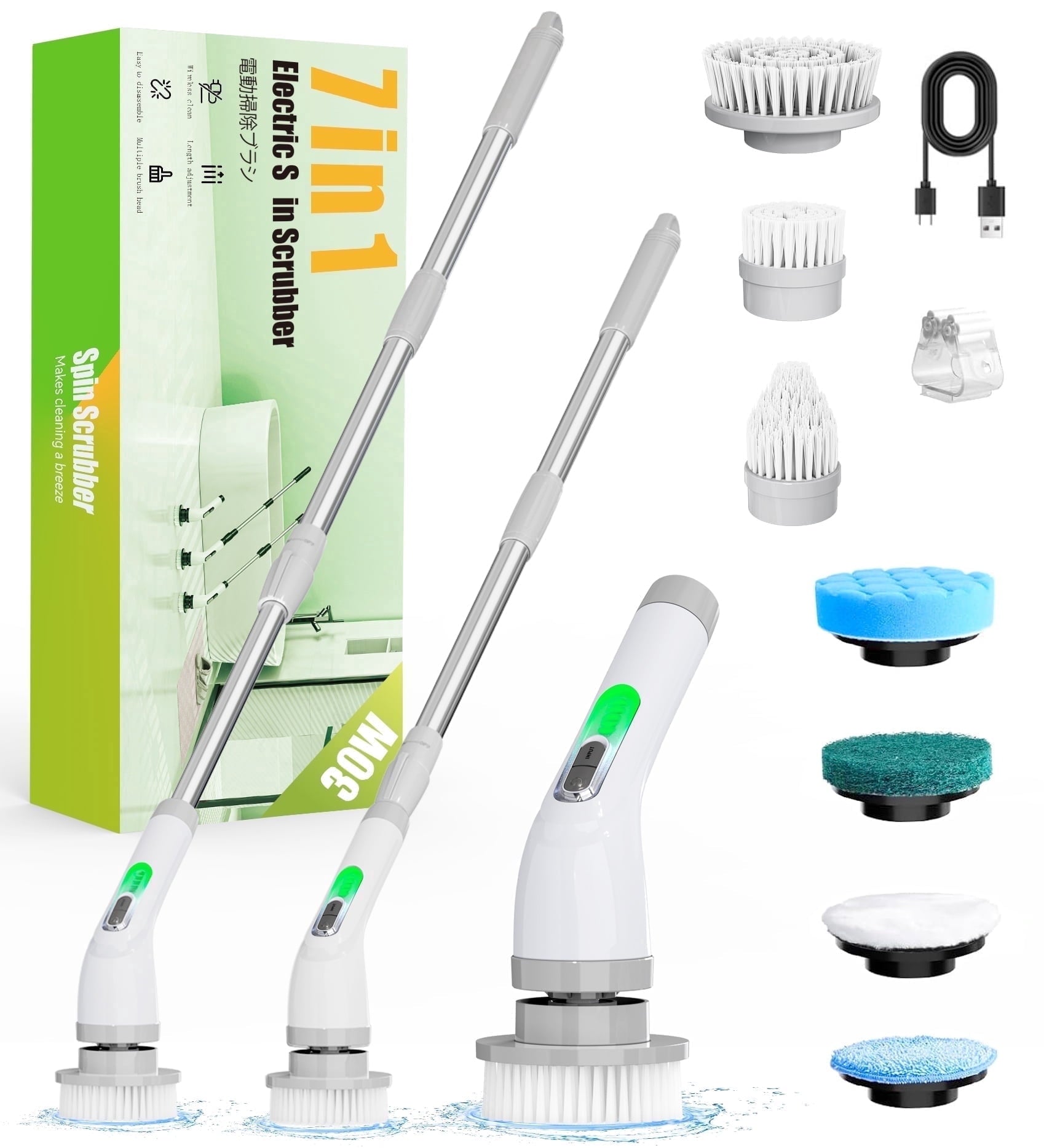
Electric Spin Scrubber — Cordless Power Cleaning Brush
Interchangeable heads for tile, grout, corners and fixtures, with a battery sized to finish a full bathroom in a single session.
Why does my spin scrubber stop working mid-clean?
It stops mid-clean because overload protection cut the power, and that happens because you pressed the brush too hard against the surface. The circuit is protecting the motor from a locked-rotor condition, and it resets itself within about 30 seconds.
This is the single most misdiagnosed fault in the category. People feel the tool die under their hand, assume the motor burned out, and start shopping for a replacement — when the tool is working exactly as its designers intended.
The fix takes a minute:
- Lift the scrubber completely off the surface. All pressure, not most of it.
- Wait 30 seconds. The protection circuit needs a moment to reset. Rapidly jabbing the power button during this window achieves nothing.
- Press the power button once. On some models you hold it instead. The brush should spin freely.
- Change how you hold it. Guide the tool, do not lean on it. If you are pushing hard enough to see the bristles splay flat, you are working against the motor.
Here is the part most guides miss: if overload protection trips repeatedly on the same job, the problem is usually your brush head, not your technique. Worn bristles lose their spring, so you instinctively press harder to compensate for the missing scrubbing action — and that extra pressure trips the cutout. Fit a fresh head and the problem often disappears entirely.
Why won't my electric spin scrubber turn on or charge?
A scrubber that won't turn on or charge almost always has moisture in the charging port, a partially charged battery, or a cable fault — in that order of likelihood.
Work through these before concluding anything is broken.
-
Unplug it and try the button
Many models will not operate while connected to power. If you plugged it in first and then tested it, disconnect the cable completely and try again. This costs you five seconds and resolves a surprising share of "dead" scrubbers.
-
Inspect the port with a torch before plugging in
Look for water droplets, condensation, or scale. If you see moisture, stop. Leave it open in a dry room for at least 30 minutes, or overnight if it got properly wet. Plugging into a damp port risks corrosion across the contacts, and that damage is permanent.
-
Dry it without putting anything metal inside
Shake the water out, then use a cotton swab gently or a burst of canned air. Never use a pin, paperclip, or knife tip. A bent USB-C pin ends a scrubber's life faster than almost any other mistake, and no warranty covers it.
-
Change one variable at a time
Try a different cable in the same outlet, then the same cable in a different outlet. Testing both at once tells you nothing about which failed. Use the original adapter where possible — the wrong voltage can undercharge the cell or run it hot.
-
Give it the full charge time, then time the runtime
Most units need 3–5 hours for a complete cycle; a typical 2,500mAh model takes around 4 hours for roughly 90 minutes of use. Once it is genuinely full, run it with no load and time it. That number tells you whether the battery is healthy or finished.
Nearly every article on this topic tells you IPX7 means your scrubber handles splashes. That is backwards. Under IEC 60529, IPX7 is an immersion test — one metre of still water for thirty minutes — and the standard explicitly states that immersion ratings do not automatically cover water jets. Jet resistance is IPX5 and IPX6, tested separately with a pressurised nozzle, and a device only qualifies for both if it is dual-coded like IP66/IP67.
The practical consequence: an IPX7 scrubber can survive being dropped in a full bathtub and still fail when you hold it under a running shower head. Static pressure squeezes a seal evenly; a directional jet can lift a gasket lip and push water straight past it. So rinse the brush head under the tap, keep the spray off the body and port, and stop treating the IPX number as a licence to blast the tool clean.
Why won't the brush head spin even though the motor runs?
A motor that runs while the brush stays still means something is physically blocking rotation — nearly always hair wrapped tightly around the drive shaft where the head meets the body.
This builds up invisibly. Each clean deposits a few strands at the shaft base, they compact into a dense collar over weeks, and eventually the friction exceeds what the motor can overcome.
Clear it properly:
- Power off completely and unplug. Never inspect a shaft on a live tool.
- Remove the brush head — twist counterclockwise for twist-lock connectors, or pull straight off for push-fit.
- Cut, don't pull. Snip the wrapped hair with small scissors and lift it away. Yanking it can drag the shaft seal out of position.
- Wipe the shaft and the collar recess with a dry cloth, then a cotton swab for the groove.
- Refit and test in free air before touching a surface with it.
If the shaft turns freely by hand but the brush still slips under load, the head itself has worn — the connector no longer grips. And if the whole mechanism feels seized rather than jammed, that is a different problem: our guide on how to unlock an electric spin scrubber covers safety locks and stuck locking collars in detail.
Electric Spin Scrubber — Cordless Power Cleaning Brush
Enough torque to hold speed against grout without tripping overload protection, and a rechargeable battery rated for a full cleaning session.
Should you repair your spin scrubber or replace it?
Repair anything that involves the battery, charger, or brush head. Replace the unit if water reached the electronics, the body has cracked, or the motor has failed outside warranty.
The deciding factor is whether the fault sits in a consumable part or in the sealed body. Consumables are cheap and designed to be swapped. Sealed-body faults are not economically repairable on a tool in this price bracket.
| Fault | Typical cost to fix | Verdict | Why |
|---|---|---|---|
| Worn or slipping brush head | $8–$15 for a multi-pack | Repair | Consumable part with a 4–6 month expected life |
| Faulty charging cable or adapter | $10–$20 | Repair | Cheapest possible fix; always test this before blaming the battery |
| Battery at end of life | $15–$30 where replaceable | Repair | Restores full runtime for a fraction of a new unit |
| Jammed shaft or seized collar | $0 | Repair | Ten minutes of cleaning, no parts required |
| Sealed battery, no replacement sold | Not serviceable | Replace | Opening a sealed body voids warranty and rarely succeeds |
| Water reached the electronics | $50+ | Replace | Corrosion spreads; repairs fail again within months |
| Cracked body or broken pole lock | $40+ | Replace | Compromised seal means water ingress is now inevitable |
| Motor failure outside warranty | $60+ | Replace | Labour alone exceeds the price of a new mid-range unit |
Before you buy anything, check your warranty. Most brands cover motor and battery faults for one to two years, and a fault that appears in month eight is the manufacturer's problem, not yours. If you do end up replacing the tool, our 2026 comparison of the best electric spin scrubber models covers runtime and torque across five tested units, and our guide on where to buy an electric spin scrubber explains why parts availability matters more than the sticker price.
How do you stop these problems happening again?
Three habits prevent nearly every fault in this article: dry the tool after every use, store the head detached, and never let the battery sit fully drained for weeks.
None of this takes longer than a minute, and together they roughly double the working life of a mid-range scrubber.
- Rinse the head, not the body. Hold the brush under the tap with the handle angled up and away. Keep spray off the charging port entirely.
- Towel-dry the whole tool and leave the port cover open for twenty minutes before storing or charging.
- Store the brush head detached and bristles-up. A damp head locked on the shaft causes both seized collars and the mildew smell people mistake for a worn brush.
- Clear the shaft monthly. Thirty seconds with a dry cloth prevents the hair collar that causes jams.
- Top the battery up during storage. Lithium cells degrade fastest when left completely flat for long periods. A monthly charge during the off-season keeps capacity healthy.
- Guide, don't push. Correct technique is covered in our guide on how to use an electric spin scrubber, and it prevents overload trips entirely.
Electric Spin Scrubber — Cordless Power Cleaning Brush
If the battery is finished or water reached the board, repairs stop making sense. This one arrives ready to work on tile, grout, sinks and tubs.
Frequently asked questions about spin scrubber faults
Why is my electric spin scrubber not turning on even though it's charged?
Check whether it is still plugged in, because most models are designed not to operate while charging. Unplug the cable completely and press the power button again. If it stays dark, the charge may not have completed — a 15-minute top-up lights the indicator without delivering usable power. Give it a full 3–5 hour cycle with the original adapter, then retest.
Why does my spin scrubber keep stopping while I'm cleaning?
Overload protection is cutting power because the brush is meeting too much resistance. Lift the tool off the surface, wait 30 seconds, and press the power button once to reset it. The underlying cause is usually pressing too hard, so guide the scrubber rather than leaning on it. If it keeps tripping on the same job, fit a fresh brush head — worn bristles make you press harder without realising.
Why won't my electric spin scrubber charge?
Moisture in the charging port is the most common reason. Inspect the port with a torch, and if you see any water, leave it to dry for at least 30 minutes before plugging anything in. Then test one variable at a time: a different USB-C cable first, then a different outlet. Never insert metal objects to dry the port, because a bent pin is unrepairable and not covered by warranty.
My spin scrubber hums but the brush doesn't spin — what's wrong?
Hair is wrapped around the drive shaft at the base of the brush head. Power the unit off, remove the head, and cut the wrapped fibre away with small scissors rather than pulling it, since pulling can dislodge the shaft seal. Wipe the shaft and collar recess clean, refit the head, and test it in free air before using it. Running the motor to force through a jam is what burns motors out.
How long should an electric spin scrubber battery last before it needs replacing?
Expect two to three years of regular use before capacity drops noticeably. A typical 2,500mAh unit delivers around 90 minutes of runtime when new. Test it by charging fully and running with no load — if it dies in under 15 minutes, the cell has reached end of life. Replacing the battery costs $15–$30 where the model allows it, which beats buying a new tool.
Is my spin scrubber waterproof enough to rinse under the shower?
Probably not, even if it says IPX7. Under IEC 60529, IPX7 covers immersion in still water at one metre for 30 minutes, and it does not automatically include protection against pressurised jets, which is rated separately as IPX5 or IPX6. Only a dual-coded product such as IP66/IP67 covers both. Rinse the brush head under the tap with the body angled away, and keep spray off the charging port.
Can I fix a water-damaged electric spin scrubber myself?
If water only reached the charging port, yes — dry it thoroughly for several hours before charging and it will often recover fully. If water reached the internal electronics, no. Corrosion continues spreading after the visible moisture has gone, so repairs typically fail again within months. At that point replacement is the sensible choice, and it is worth checking your warranty first since water ingress within the cover period is sometimes claimable.
What's the bottom line?
Start with the light and the sound. Those two observations tell you whether you are dealing with power, a jam, or overload protection — and each of those has a different fix that takes under ten minutes.
Most scrubbers labelled "broken" are simply undercharged, jammed with hair, or doing exactly what their protection circuit was built to do. Charge fully before diagnosing anything, clear the shaft before blaming the motor, and keep water away from the port regardless of what the IP rating claims.
Save replacement for the three faults that genuinely warrant it: a dead sealed battery, water in the electronics, or a cracked body. Everything else is a ten-minute job and a part that costs less than lunch.
- How to Unlock an Electric Spin Scrubber: Complete Troubleshooting Guide — safety locks, stuck collars, and jammed extension poles.
- How to Replace an Electric Spin Scrubber Brush in Under 60 Seconds — connector types, the bristle wear test, and stuck-head fixes.
- How to Use an Electric Spin Scrubber: Full Guide — the pressure and angle technique that prevents overload trips.
- Best Electric Spin Scrubber 2026: I Cleaned My Entire Bathroom in 8 Minutes — five models tested on runtime, torque and grout performance.
- Where to Buy an Electric Spin Scrubber in 2026 — comparing retailers on returns, warranty and parts availability.
- What Is an Electric Spin Scrubber and How Does It Work? — the mechanics behind rotation, torque and head design.


